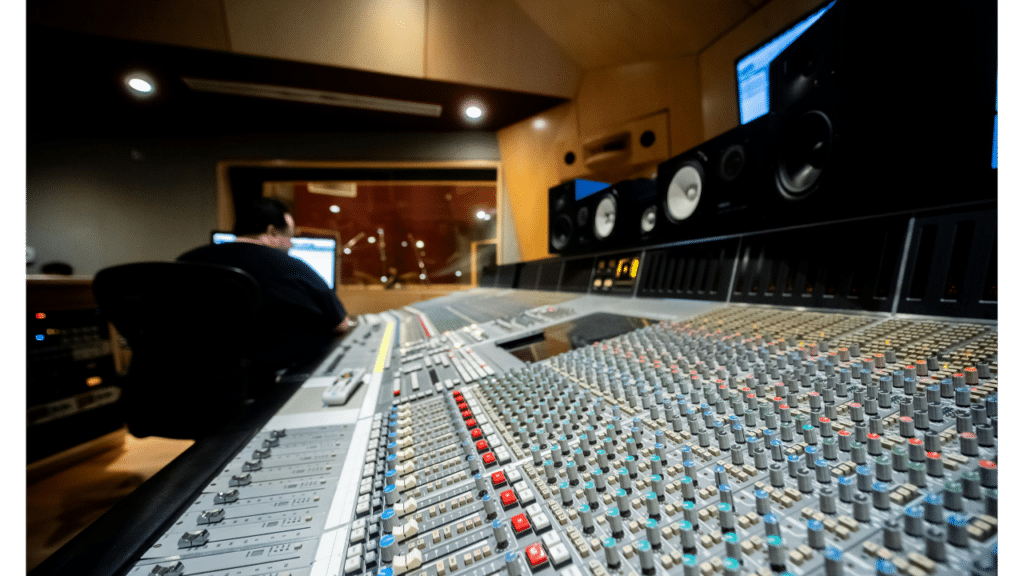
MetaSounds becomes useful when a project stops treating every sound as a separate graph and starts building reusable audio architecture.
MetaSounds gives audio teams much deeper control inside Unreal Engine than the old “one Sound Cue per problem” workflow. Epic describes it as a high-performance DSP graph system with sample-accurate timing, procedural generation, gameplay parameters, presets and graph reuse.
That does not automatically make a project scalable.
You can still build fifty complicated graphs that all solve the same problem differently.
The production advantage appears when MetaSounds is treated as architecture: shared patches, reusable functions, controlled inputs and systems that can change across the game without being rebuilt asset by asset.
What MetaSounds Actually Changes
Traditional Sound Cues can randomize samples, change pitch and volume, and handle useful playback logic.
MetaSounds goes deeper.
Epic describes each MetaSound as a DSP rendering graph with sample-accurate control at audio-buffer level. It can generate sound procedurally, combine generated and recorded sources, accept gameplay parameters and connect directly to Blueprint or C++ data. Epic’s MetaSounds overview explains the system and its runtime model.
That makes it possible to design behavior rather than only playback.
A parameter can affect layers.
A trigger can schedule a sample accurately.
A graph can generate variation at runtime.
A shared module can be reused across many systems.
The important shift is not “Unreal has a better sound node.”
It is that audio designers can build reusable logic closer to the game.
Reuse Is Where the Production Value Appears
Imagine ten different machines in a game.
They all need:
- startup;
- loop;
- shutdown;
- speed parameter;
- damaged state;
- random mechanical detail.
You can build ten separate graphs.
And then discover that every one needs the same change.
Now you have ten edits.
Epic’s documentation describes two important reuse mechanisms: Presets, which reference a base MetaSound graph while overriding inputs, and graph composition/custom nodes, which allow shared functionality to be used inside other MetaSounds. Changes to shared graphs can propagate to the assets referencing them. That workflow is one of the reasons Epic positions MetaSounds as an improvement over large collections of separate Sound Cues.
This is the scalable part.
One rule.
Many uses.
Presets Are Useful When Behavior Is Shared but Content Changes
A preset makes sense when several sounds use the same logic but different input material.
For example, a family of environmental emitters might share:
- random timing;
- variation;
- pitch range;
- distance-sensitive detail;
- modulation.
The forest version uses birds and leaves.
The industrial version uses metal and machinery.
The logic stays.
The source changes.
Without a base system, designers can accidentally create five slightly different versions of the same behavior. Six months later, nobody knows which one is correct.
Presets reduce that drift.
Consistency does not survive by itself.
Reusable Nodes Keep Complex Graphs Readable
Not every project needs a giant framework.
But repeated logic should usually have a home.
Random selector.
Weighted variation.
Envelope behavior.
Shared filtering.
Crossfade logic.
Music timing.
Parameter smoothing.
If the same node structure appears in many graphs, that is a signal.
Epic supports graph composition and custom MetaSound nodes specifically so common functionality can become reusable building blocks rather than copied graph sections. Its documentation notes that referenced custom nodes also propagate changes across dependent MetaSounds.
This matters for debugging too.
When something breaks, the team knows where the rule lives.
Sample-Accurate Timing Opens Different Types of Systems
MetaSounds supports sample-accurate triggers and concatenation.
That matters most when timing is audible.
Music transitions.
Rhythmic systems.
Loop boundaries.
Procedural sequences.
Layer synchronization.
Epic explains that MetaSound triggers can execute sample-accurate events and that the Wave Player can concatenate queued waves without audible gaps. The system operates at audio-sample resolution rather than ordinary frame timing.
You do not need sample accuracy for every footstep.
But when the sound depends on musical or tightly synchronized timing, it gives the system a different level of control.
Quartz also exists in Unreal for precise musical scheduling and Blueprint synchronization. Epic lists it alongside MetaSounds, Audio Modulation and the Audio Mixer as part of UE5’s native audio stack. The broader UE5 audio overview is useful for understanding how those systems fit together.
Gameplay Parameters Are More Important Than Fancy DSP
A sophisticated graph with no meaningful gameplay input is still isolated audio.
The useful systems react to the game.
Speed.
Surface.
Health.
Weapon heat.
Weather.
Time of day.
Threat.
Character state.
Engine RPM.
Epic supports user parameters that can be driven through Audio Components from Blueprint or C++, plus parameter buses through Audio Modulation. Those inputs connect the MetaSound graph to gameplay data.
That is where technical audio becomes game design.
The system knows what is happening.
Then sound can respond.
Native Unreal Audio vs Wwise or FMOD Is Not a Religious Argument
MetaSounds has made Unreal’s native audio stack much more capable.
That does not mean every project should remove middleware.
Wwise and FMOD solve broader production problems around authoring, profiling, mixing, collaboration, asset organization and platform workflows. Native Unreal may be enough for one team and the wrong choice for another.
The decision depends on:
- project size;
- audio-team structure;
- implementation ownership;
- existing tools;
- music complexity;
- profiling needs;
- platform targets;
- engineering support;
- pipeline maturity.
Epic’s UE5 audio overview shows that Unreal now includes MetaSounds, Audio Modulation, Quartz and other modern systems alongside legacy tools. That gives teams a larger native toolkit than previous engine generations.
The question is not which logo is better.
It is which pipeline creates less friction for this game.
For a broader middleware discussion, see Why I Use Audio Middleware in Game Development.
Architecture Should Be Defined Before Content Volume Grows
A project with twenty sounds can survive inconsistent graphs.
A project with thousands cannot.
Before production scales, define:
- naming;
- common graph modules;
- parameter conventions;
- preset strategy;
- modulation buses;
- asset ownership;
- debug expectations;
- versioning;
- when a designer should create a new system versus reuse an existing one.
This feels slower during week one.
It saves time during month eight.
The producer sees fewer one-off technical problems.
The audio team spends less time rebuilding the same behavior.
Engineering receives fewer requests for logic audio can already own.
That is the value.
MetaSounds Should Make the Audio Team More Autonomous
Technical audio is useful when it reduces waiting.
An audio designer should be able to modify variation, procedural behavior, timing and game-driven response without requiring an engineer for every small change.
MetaSounds’ node-based editor and live parameter preview support that kind of ownership. Epic explicitly designed the editor so audio designers can create procedural systems without needing traditional programming for every graph. The editor includes live controls and real-time graph interaction.
Less waiting on engineering.
Faster iteration.
That is a production outcome, not a feature-list benefit.
Footsteps Are a Good Test, but Not the Architecture Itself
Footsteps are one useful MetaSounds application because they combine surfaces, variation, locomotion and high repetition.
But a footsteps tutorial should stay about footsteps.
This page owns the broader architecture.
For the concrete implementation problem, continue with Scalable Footsteps in Unreal Engine.
For a wider survey of production tools, Game Audio Company Tools and Techniques You Should Know About provides more context.
A Practical MetaSounds Architecture Checklist
Before scaling a native Unreal audio system, ask:
- Which graph logic repeats across the project?
- Should that logic become a reusable node or shared MetaSound?
- Which variations can be Presets?
- Which gameplay parameters should drive the system?
- Where is sample-accurate timing actually needed?
- Which values should be controlled through Audio Modulation?
- How will designers debug the system?
- Who owns shared graph changes?
- Does the architecture reduce duplicate work?
- Would external middleware solve a broader pipeline problem better?
Architecture is not about building the most clever graph.
It is about making the next hundred sounds easier to build and maintain.
Next Step
If your Unreal project already has many isolated MetaSounds and every new mechanic starts from an empty graph, the problem is probably architecture.
Explore Flutu’s technical-audio work or send us the current Unreal audio setup if you want to review native MetaSounds architecture, implementation ownership and where Wwise or FMOD may still make sense.